Capy for Claude

Ask about your cap table in plain English. Capy does the math. Nothing changes until you approve it.

Every screenshot below is real: Claude talking to Capy about Northwind Robotics, a made-up company.

“Who owns what?”
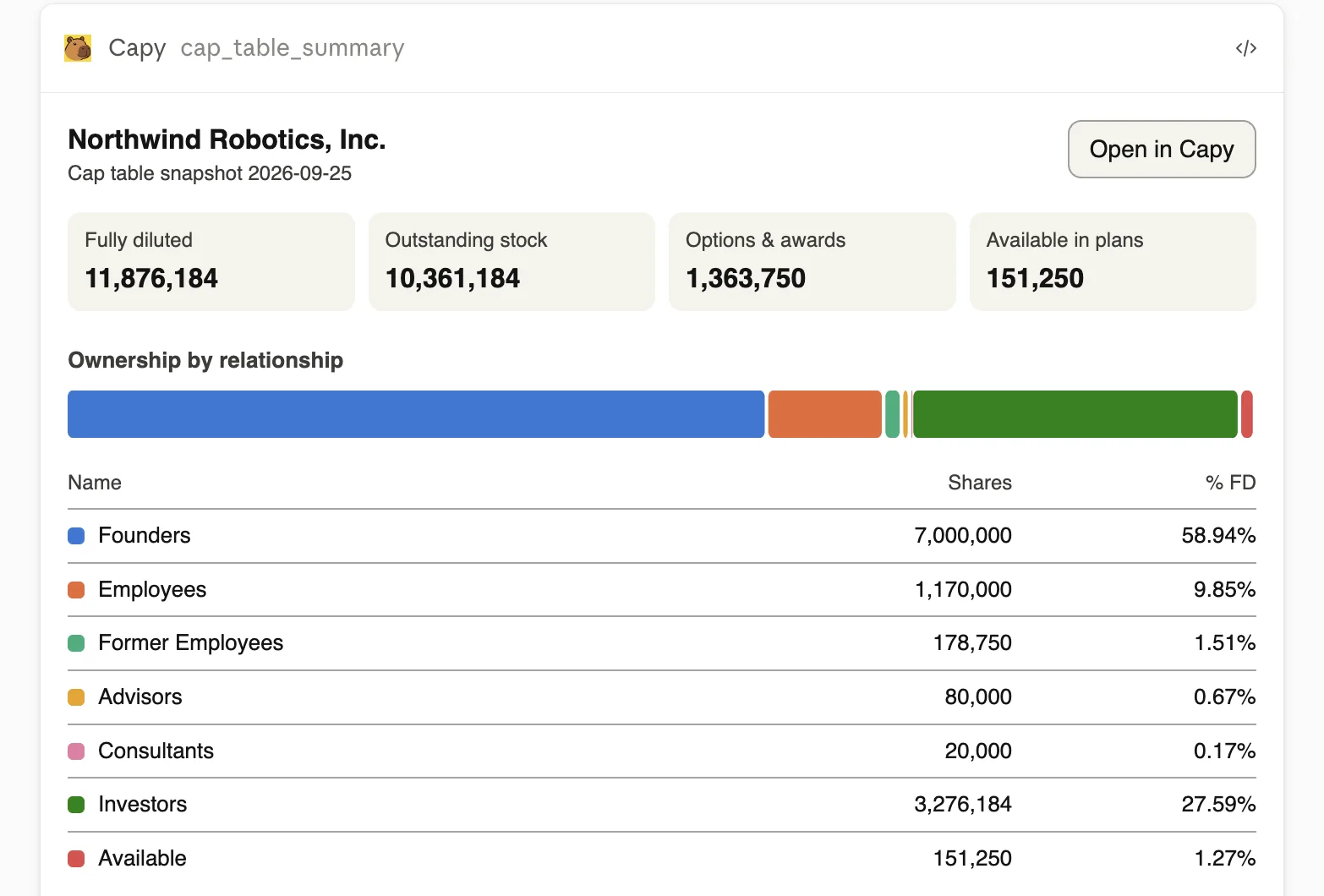
Claude showing Capy's ownership table for Northwind Robotics: 11,876,184 fully diluted shares, founders 58.94%, investors 27.59%.
Exact numbers from Capy, not an AI estimate.

“What needs fixing before the board meeting?”
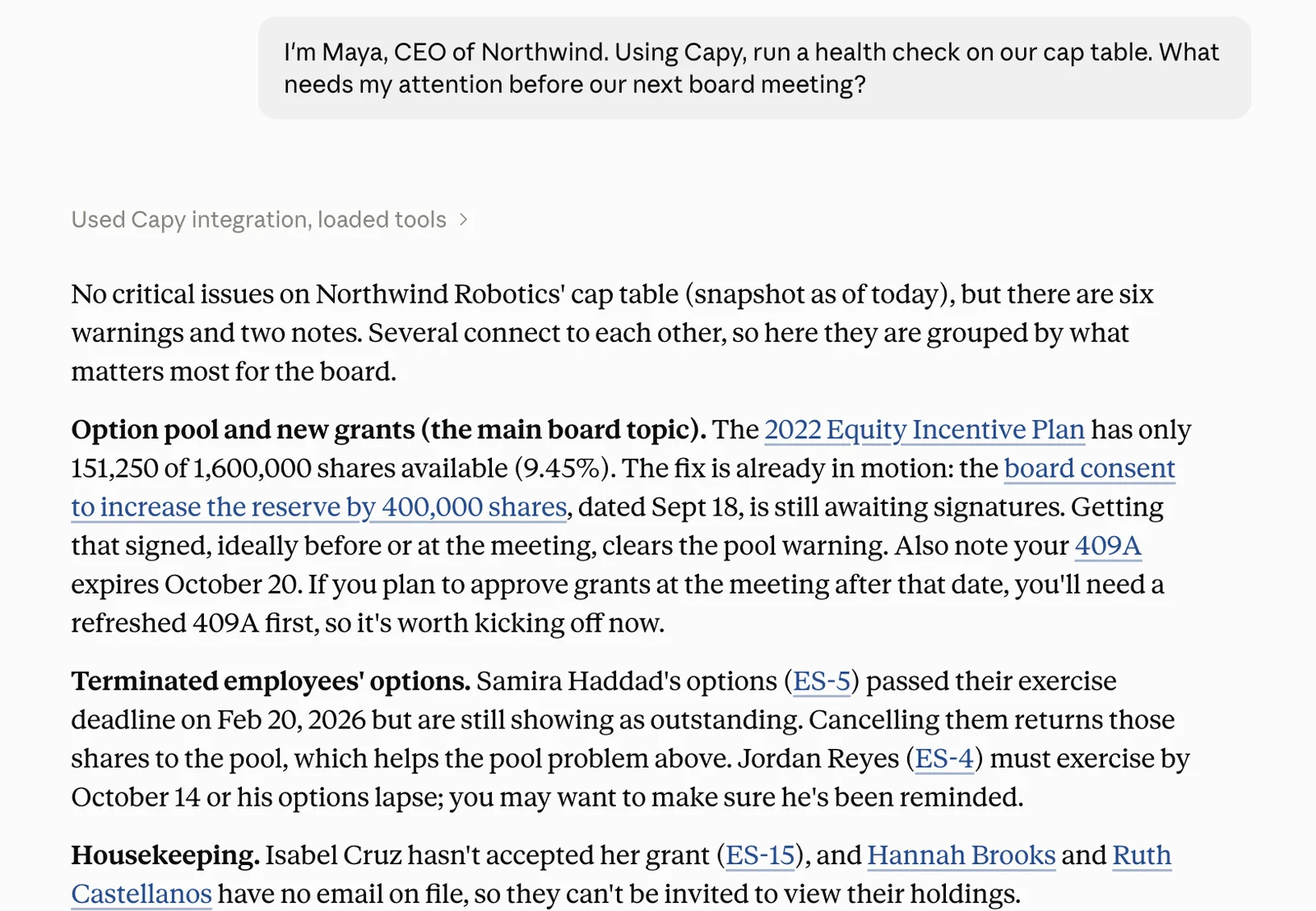
Claude's answer to a cap table health check: a low option pool, an unsigned consent, an expiring 409A, and a former employee's options still outstanding after the exercise window closed.
Capy catches what founders usually find too late.

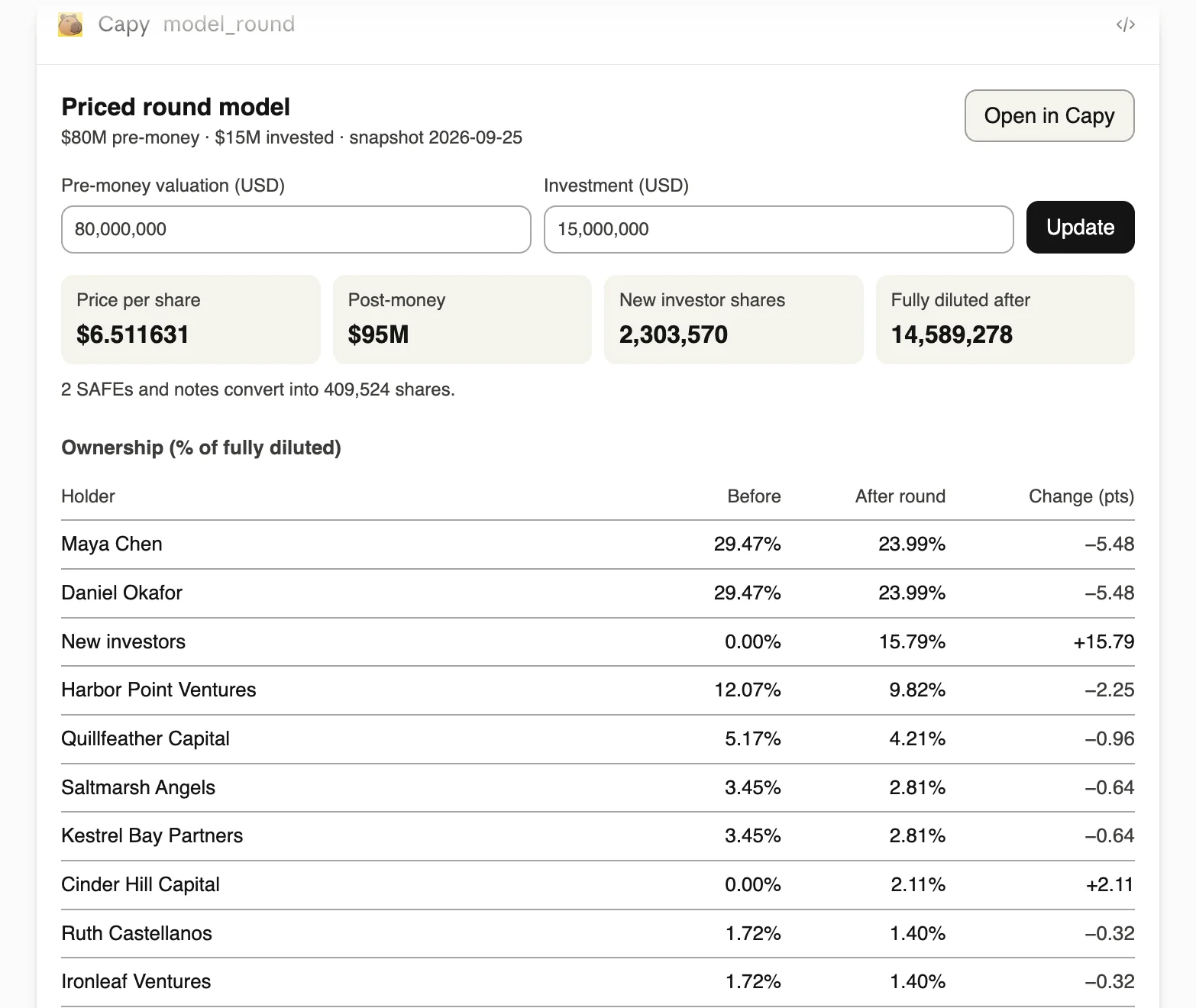
“Model a $15M Series B at $80M pre.”

Capy's round model in Claude: $6.51 per share, $95M post-money, SAFEs converting, founders going from 29.47% to 23.99%.
SAFEs convert, everyone's dilution shows up. Change the numbers right there.

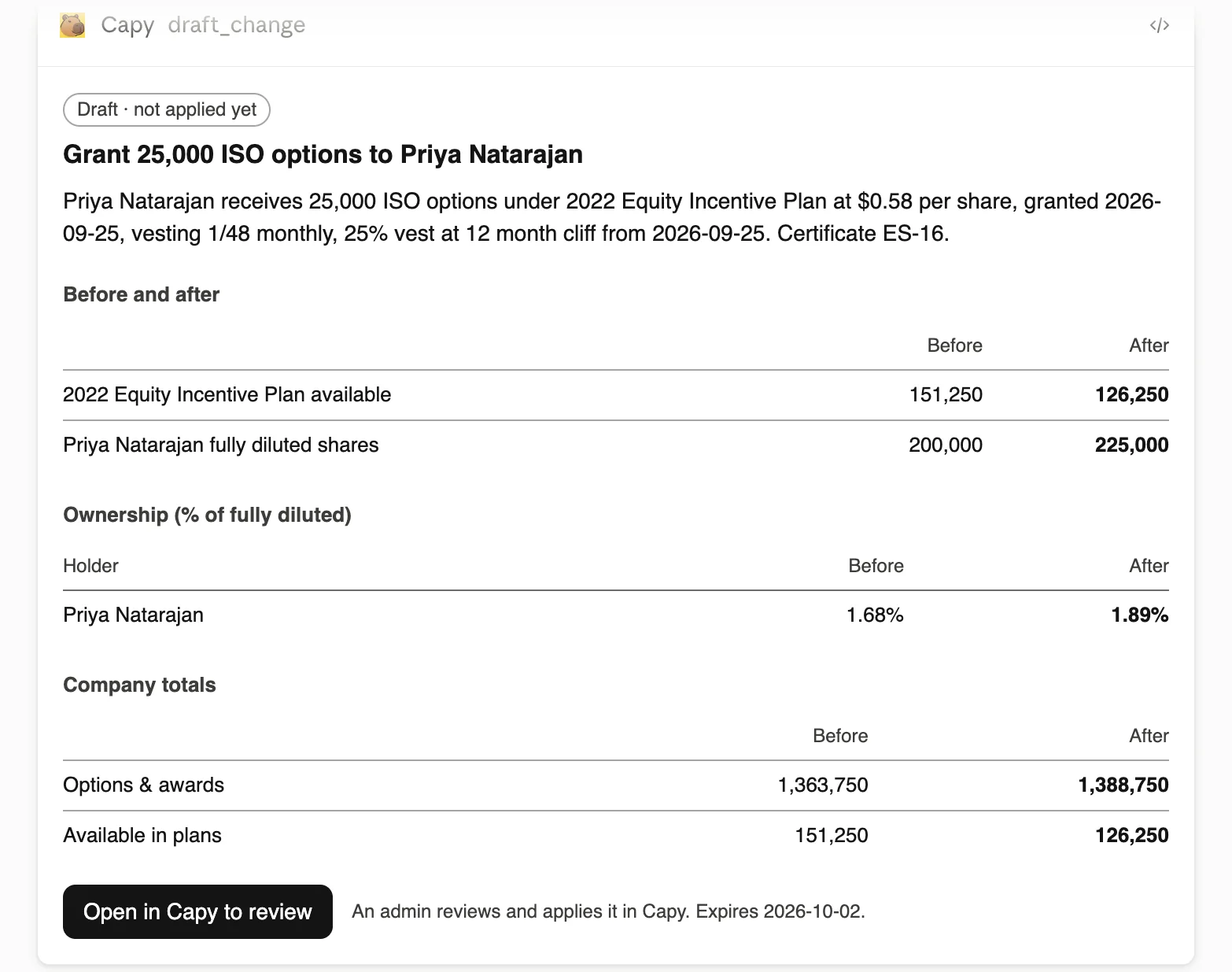
“Draft a refresh grant for Priya.”

Claude's drafted grant card for Priya Natarajan, marked 'Draft · not applied yet', with before and after numbers.
Claude drafts it…
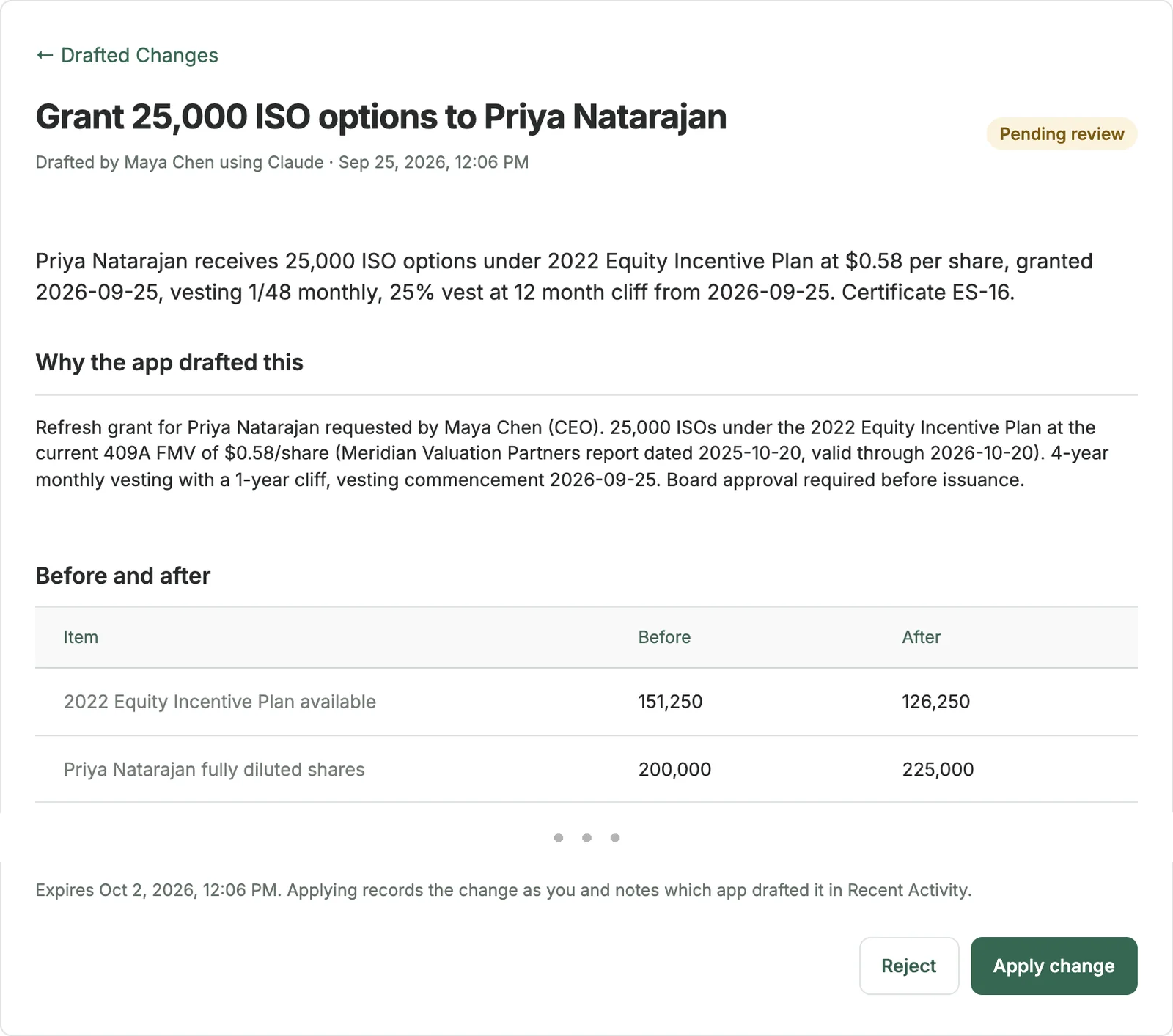
The same change on Capy's review page, with who drafted it and why, before and after numbers, and Reject and Apply change buttons.
…you approve it in Capy. The AI can't change your cap table on its own.

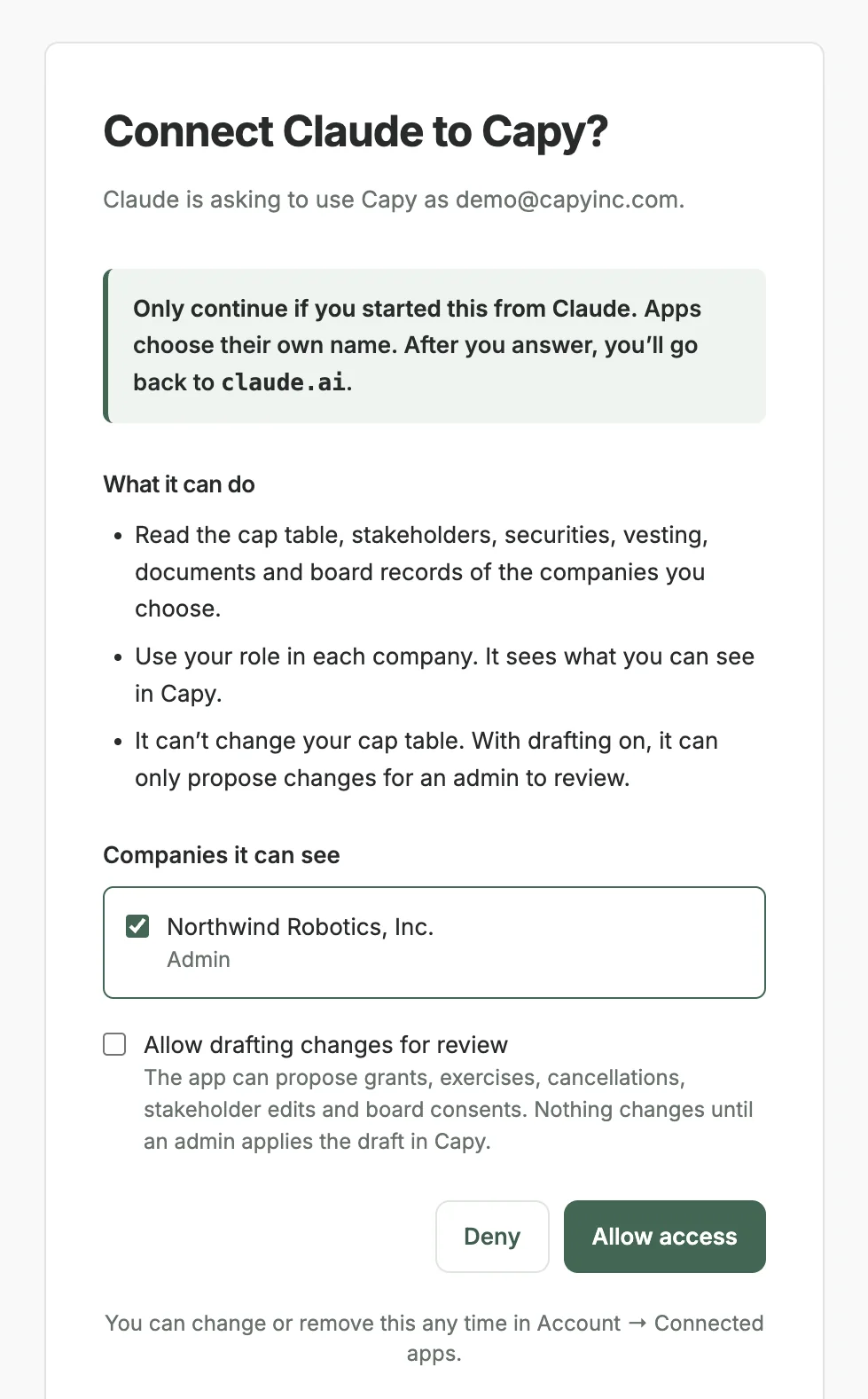
You choose what it sees

Capy's consent screen: Connect Claude to Capy? with a company picker and an Allow drafting changes for review checkbox.
Pick the companies. Drafting is off unless you turn it on.

Set it up in 30 seconds

In Claude, go to Customize → Connectors → Add custom connector and paste https://capyinc.com/mcp.
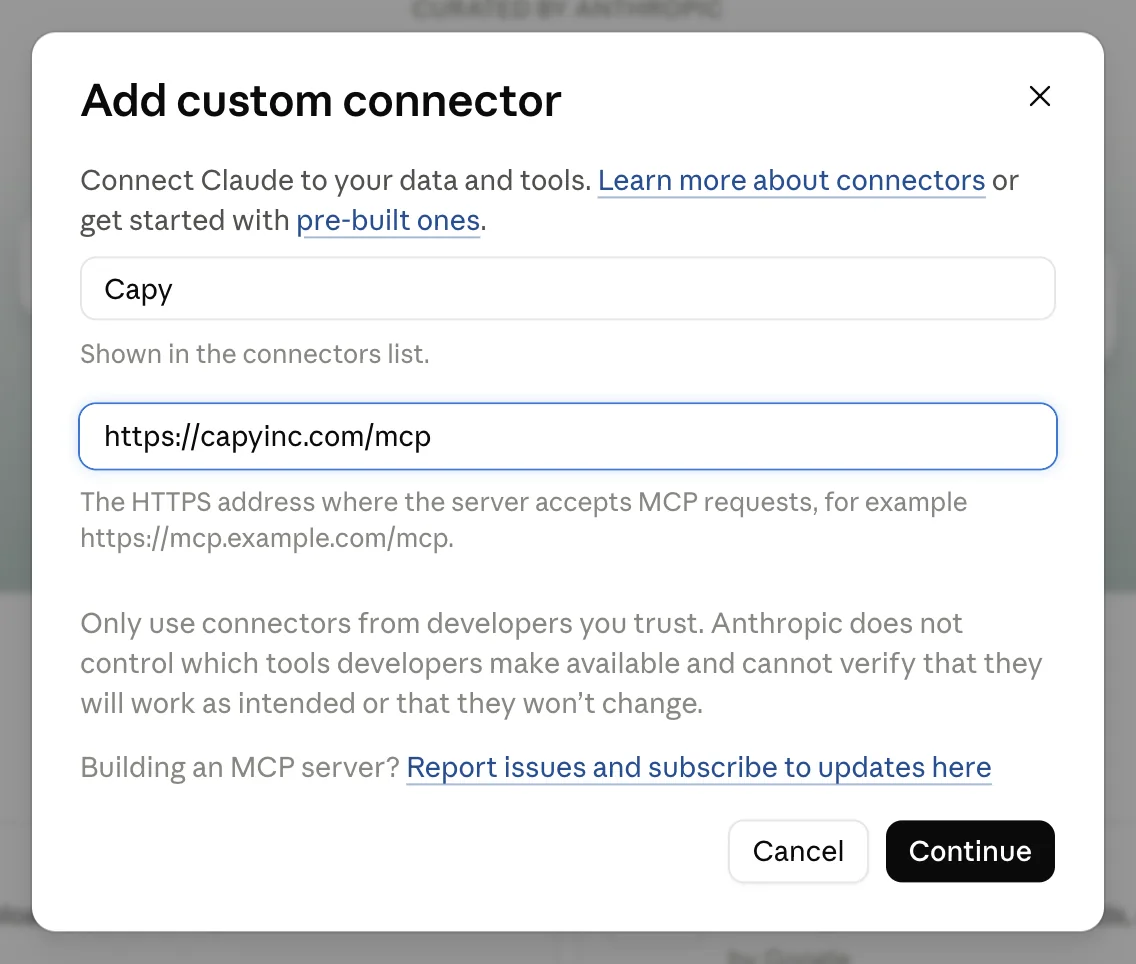
Claude's Add custom connector dialog with the name Capy and the URL https://capyinc.com/mcp.

Setup guide · Import from Pulley →